5 Interactive Campaigns That Grow Your Email List 10x Faster Than Static Forms
Learn why interactive marketing campaigns like quizzes and giveaways are the key to 10x faster email list growth.
:format(webp))
Static email signup forms are dying. The numbers don't lie: standard "enter your email for our newsletter" forms convert at a dismal 1-3%. Meanwhile, your competitors using interactive campaigns are seeing conversion rates of 30% or higher.
The problem? People are exhausted by generic newsletter requests. They need a compelling reason to hand over their email address and "stay updated" isn't cutting it anymore.
The solution? Interactive marketing campaigns that engage, entertain, and provide value before asking for anything in return.
According to the Content Marketing Institute, interactive content generates 2x more conversions than passive content. Let's explore five campaign types that consistently outperform traditional forms, with step-by-step instructions for building each one.
Campaign Type #1: Personality Quizzes
Average Conversion Rate: 33-40%
Why It Works
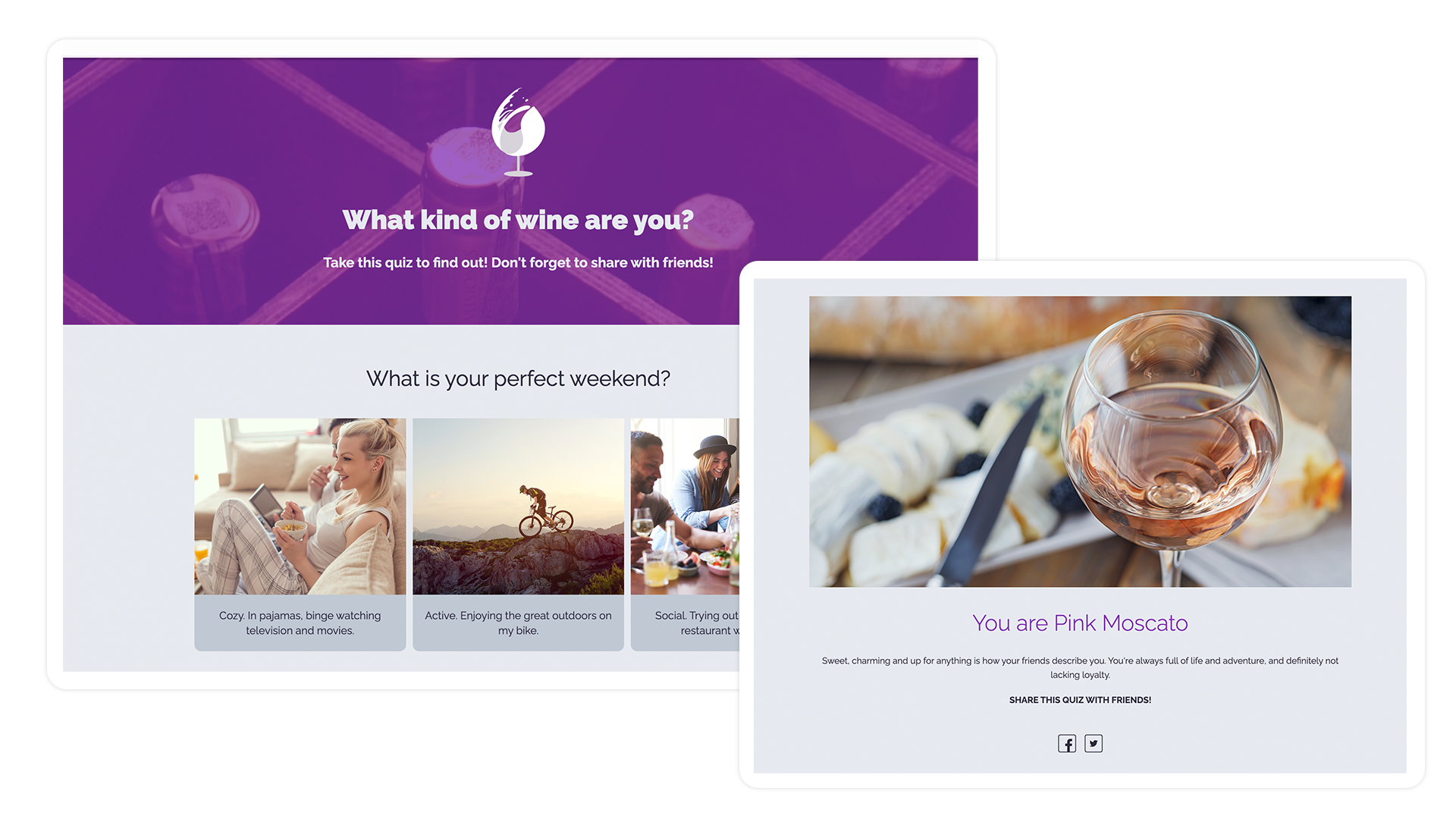
People are hardwired to learn about themselves. Personality quizzes tap into this psychological trigger while collecting valuable segmentation data. A skincare brand asking "What's Your Skin Type?" isn't just collecting emails—they're gathering intelligence that enables hyper-personalized follow-up marketing.
How to Build It
Step 1: Choose Your Quiz Topic
- Focus on a question your audience genuinely wants answered
- Make it relevant to your product/service
- Example topics: "What's Your Marketing Personality?", "Which Product Is Right for You?", "What's Your [Industry] IQ?"
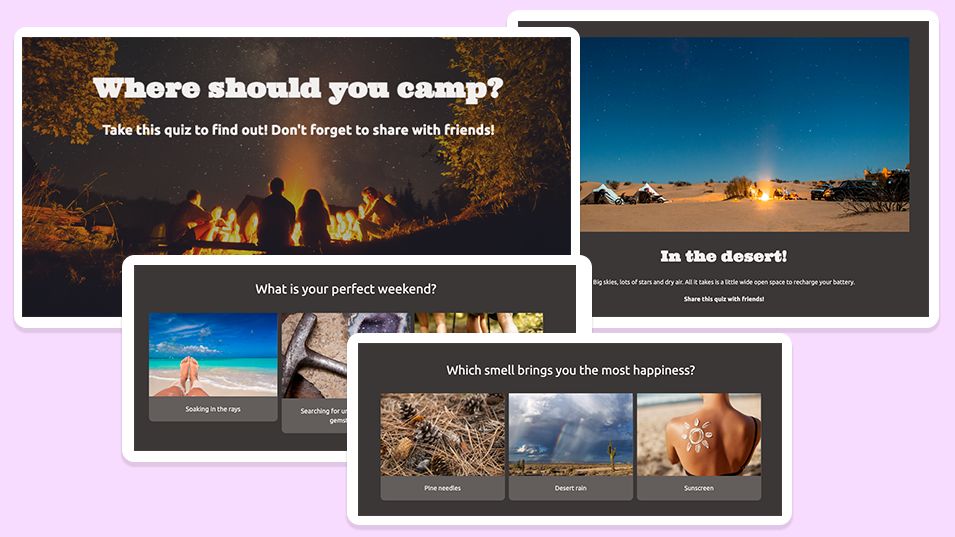
Step 2: Create Your Questions (5-8 works best)
- Each question should map to a specific outcome
- Use images or GIFs to increase engagement
- Include a mix of fun and practical questions
Step 3: Design Your Results Pages
- Create 3-5 distinct outcomes
- Make each result feel personalized and valuable
- Include a product recommendation tied to their result
- Gate the results behind email submission (people will gladly exchange their email to see their personality type)
- Add a checkbox for email marketing consent
Campaign Type #2: Giveaways & Sweepstakes
Average Conversion Rate: 34%
Why It Works
The appeal is obvious: everyone loves winning free stuff. But smart marketers use giveaways strategically, offering prizes that attract their ideal customer rather than deal-hunters who'll unsubscribe immediately.
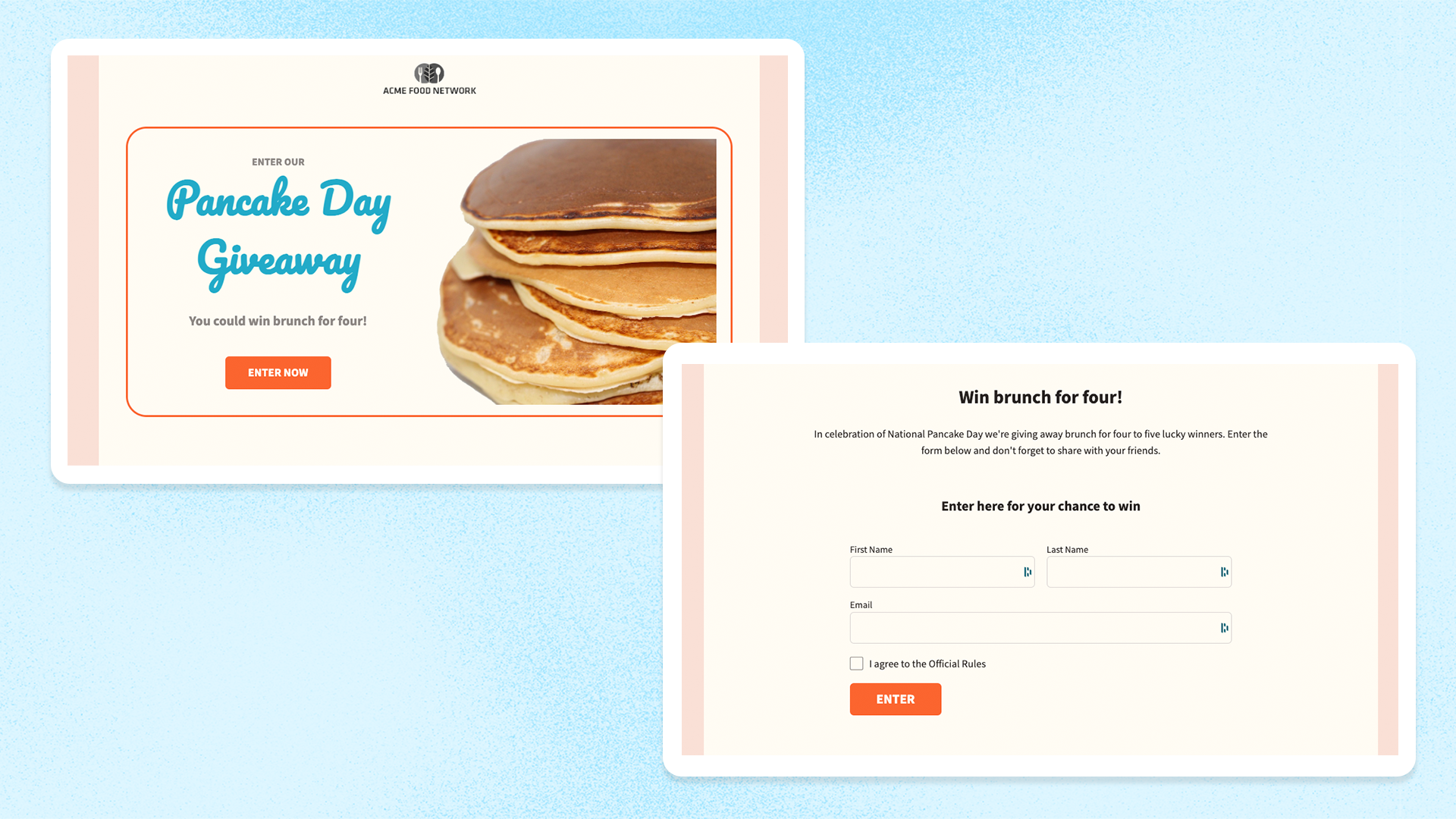
How to Build It in ShortStack
Step 1: Choose Your Prize Strategically
- Offer something your ideal customer wants (not an iPad everyone wants)
- Consider: your own product, industry-relevant tools, or services
- Value sweet spot: $100-500 (valuable enough to motivate, not so valuable you attract freebie-seekers)
Step 2: Set Up Entry Methods
- Email submission (mandatory)
- Social follows for bonus entries (grows your social presence)
- Referral entries (one entry for each friend who enters)
- User-generated content (photo submissions, testimonials)
Step 3: Configure Viral Sharing
- Enable referral links so entrants can share with friends
- Award bonus points for every referral entry that comes in (incentivizes sharing)
- ShortStack automatically tracks referrals and awards entries
Step 4: Set Your Timeline
- 2-3 weeks is ideal (long enough to build momentum, short enough to create urgency)
- Clearly display the end date and time
- Consider extending if you're getting strong traction
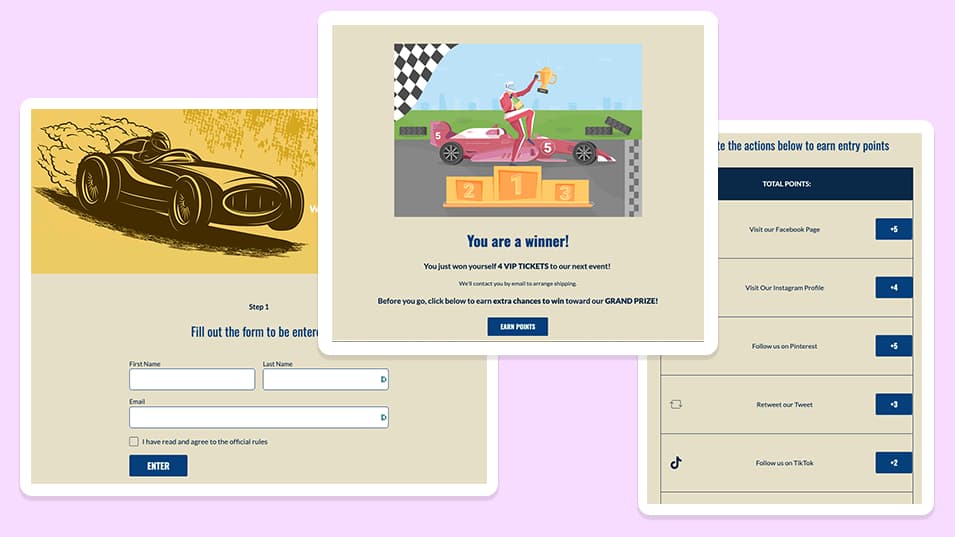
Pro Tip: Create a "bonus entry checklist" where participants can earn multiple entries by completing different actions. This single tactic can increase your social followers by 40% while collecting emails.
Campaign Type #3: "Best Of" Voting Competitions
Average Conversion Rate: 32-38%
Why It Works
"Best Of" competitions tap into local pride, brand loyalty, and the human desire for recognition. When you ask people to vote for the "Best Coffee Shop in Portland" or "Top Real Estate Agent in Austin," you're not just collecting emails—you're creating community engagement that participants eagerly share. Nominees become your marketing army, driving traffic and entries as they campaign for votes.
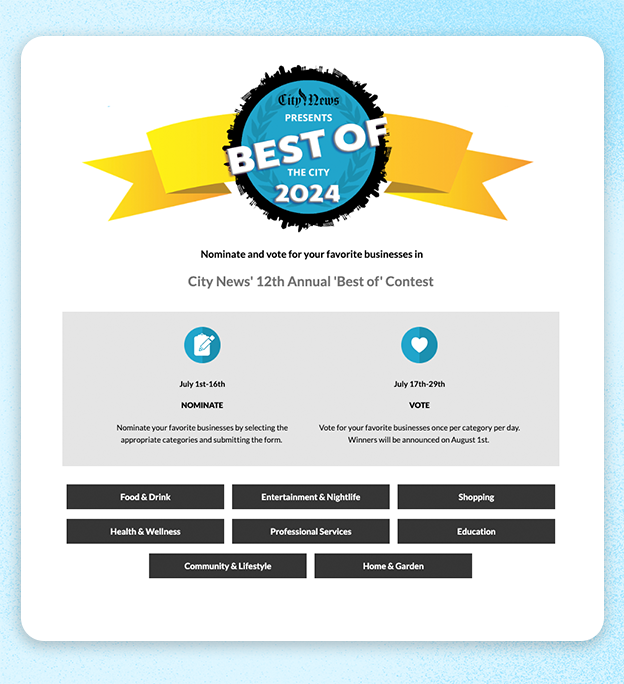
How to Build It in ShortStack
Step 1: Define Your Categories
- Choose 8-25 categories relevant to your audience or community
- Examples for local businesses:
Best Restaurant, Best Coffee Shop, Best Boutique
- Best Gym, Best Spa, Best Hair Salon
- Best Contractor, Best Real Estate Agent, Best Auto Mechanic
- Examples for industry-specific:
Best Marketing Tool, Best CRM, Best Analytics Platform
- Best Business Podcast, Best Industry Newsletter, Best Conference
- Best Sales Strategy, Best Customer Service Practice
Step 2: Decide on Nomination vs. Pre-Selected
- Open Nominations: Let the audience submit nominations (generates early engagement but requires moderation)
- Pre-Selected: Curate a list of qualified nominees (faster to launch, more controlled)
- Hybrid: Accept nominations for first week, then create finalist ballot from top submissions
Step 3: Structure Your Voting Phases
Phase 1: Nominations (Week 1-2)
- If allowing open nominations, create a simple submission form. (Start with ShortStack’s ‘Best of’ Template)
- Require an email to nominate
- Ask for the nominee's name, category, and optional reason for nomination
- Set a nomination limit (e.g., 3-5 nominations per person)
Phase 2: Finalist Voting (Week 2-3)
- Select the top 3-5 finalists per category based on nomination volume
- Create a voting ballot with all categories and finalists
- Gate voting behind email submission
- Allow one vote per category, per person
- Enable daily voting to increase engagement and return visits
Phase 3: Winner Announcement (Week 4)
- Announce winners via email to all participants
- Create social posts celebrating winners
- Offer winners a badge or certificate that they can display
- Consider a virtual or in-person awards event
Step 4: Set Up Email Collection and Voting Rules
- Require email to vote (this is your primary conversion point)
- Use ShortStack's "one vote per person per day" feature to encourage return visits
- Track votes in real-time on your dashboard
- Consider showing live results (increases engagement) or hiding them (reduces bandwagoning)
Step 5: Enable Viral Sharing
- Give voters a unique share link after voting
- Nominees will share with their customers/audience to drive votes
- Add social sharing buttons for Facebook, Twitter, and LinkedIn
Step 6: Communicate with Nominees
- Email all nominees to let them know they've been selected
- Provide sharing assets (graphics, sample posts, email templates)
- Create a "nominee badge" that they can display on their website or social media
- Encourage them to promote voting to their audience (this is where your traffic multiplies)
Campaign Type #5: Interactive Assessments
Average Conversion Rate: 40-50%
Why It Works
Assessments provide genuine value. Unlike quizzes that are purely entertaining, assessments give actionable insights about the participant's business, health, finances, or situation. People willingly provide detailed information because they're receiving a customized report in return.
How to Build It in ShortStack
Step 1: Define What You're Assessing
- Marketing effectiveness
- Website performance
- Financial health
- Productivity level
- Industry-specific readiness (e.g., "Is Your Business Ready for [New Regulation]?")
Step 2: Create Your Assessment Questions (10-15 questions)
- Make them specific and diagnostic
- Use multiple-choice or rating scales
- Each answer should correspond to a point value
- Example: "How often do you email your list?" (Daily: 5pts, Weekly: 3pts, Monthly: 1pt, Never: 0pts)
Step 3: Build Your Scoring System
- Total possible points: 100
- Create score ranges:
0-30: Beginner (needs significant help)
- 31-60: Intermediate (good foundation, room for improvement)
- 61-85: Advanced (doing well, minor optimizations needed)
- 86-100: Expert (crushing it)
Step 4: Create Customized Results
- Write a detailed analysis for each score range
- Provide specific, actionable recommendations
- Include next steps or resources
- Offer a consultation, demo, or relevant service
Step 5: Gate Results and Deliver via Email
- Collect email after assessment is completed
- Send a detailed PDF report (feels more valuable)
- Include a clear CTA to book a call, start a trial, or purchase
Pro Tip: Ask 2-3 questions about budget, timeline, or pain points within your assessment. This qualifies leads automatically, allowing you to segment and prioritize follow-up.
Why ShortStack Is the Best Tool for Interactive Campaigns
Here's the problem most small businesses and consultants face: building these campaigns from scratch requires developers, designers, and integration specialists. You'd need separate tools for forms, landing pages, email collection, analytics, and winner selection. Most all-in-one marketing platforms either don't support interactive content or charge enterprise-level prices.
ShortStack solves this with:
1. Pre-Built Templates for Every Campaign Type
You don't start from zero. ShortStack offers professionally designed templates for quizzes, giveaways, brackets, games, and assessments. Customize colors, fonts, images, and copy to match your brand—no coding required.
2. Drag-and-Drop Builder
Build complex campaigns in a user-friendly interface. Add form fields, images, videos, buttons, and logic with simple drag-and-drop. See your changes in real-time.
4. Advanced Entry and Voting Logic
Create bonus entries for social follows, referral entries, and user-generated content. Enable daily voting. Restrict entries by location. These are just a few of the options available to get the engagement you want.
5. Real-Time Analytics Dashboard
See entries, conversion rates, traffic sources, and engagement metrics in real-time. Export data anytime. Track referrals and identify your top promoters.
6. Mobile-Optimized, Always
Every campaign is automatically responsive. 60% of campaign traffic comes from mobile—ShortStack’s preview and testing tools allow you to ensure a flawless experience on any device.
7. Dedicated Landing Pages OR Embed Anywhere
Host campaigns on ShortStack's fast, secure servers, or embed them on your website, blog, or Facebook page. One campaign, multiple distribution channels.
Common Mistakes to Avoid
Mistake #1: Choosing Prizes That Attract the Wrong Audience - Don't give away generic prizes like iPads or Amazon gift cards. You'll get thousands of entries from people who have zero interest in your business. Choose prizes that only your ideal customer would want.
Mistake #2: Making Entry Too Complicated - Every additional field you require reduces conversions by ~10%. Start with just email and name. You can collect more information later once they're in your funnel.
Mistake #3: Not Having a Follow-Up Plan - The campaign is just step one. What happens after someone enters? Plan your email sequence, retargeting ads, and sales outreach in advance.
Mistake #4: Running Campaigns Too Long - Urgency drives action. Campaigns longer than 4 weeks lose momentum. Keep it tight and create FOMO (fear of missing out).
Mistake #5: Ignoring Mobile Users - Test your campaign on actual mobile devices before launching. A clunky mobile experience will kill your conversion rate.
What to Do With Your Leads After the Campaign
Collecting emails is just the beginning. Here's how to maximize ROI:
Immediate (Day 1-3):
- Send a welcome email with campaign results or next steps
- Deliver any promised content (quiz results, discount codes, etc.)
- Introduce your brand story and core offerings
Short-Term (Week 1-2):
- Segment based on quiz results, entry method, or assessment scores
- Send targeted content relevant to their segment
- Make a soft offer (free resource, webinar invitation, etc.)
Medium-Term (Week 3-4):
- Introduce your product or service with a case study
- Share customer testimonials and social proof
- Make your first conversion offer (product sale, service booking, demo request)
Long-Term (Month 2+):
- Regular value-driven email content
- Seasonal promotions and campaigns
- Re-engagement campaigns for inactive subscribers
Start Building Your Campaign Right Now
Static forms are dead. Your competitors are already using interactive campaigns to capture attention, collect better data, and convert at higher rates.
The good news? You don't need a development team or a massive budget. ShortStack gives you everything you need to build professional, high-converting campaigns in under an hour.
Ready to 10x your email list growth?
 Start your free ShortStack trial today and launch your first interactive campaign this week. Choose a template, customize it, and start collecting qualified leads.
No credit card required.